라벨이 AfterEffects인 게시물 표시

[Tip] Clean Instagram Stories Slides (Video Templates) 진폭 적용방법(AE)
이미지
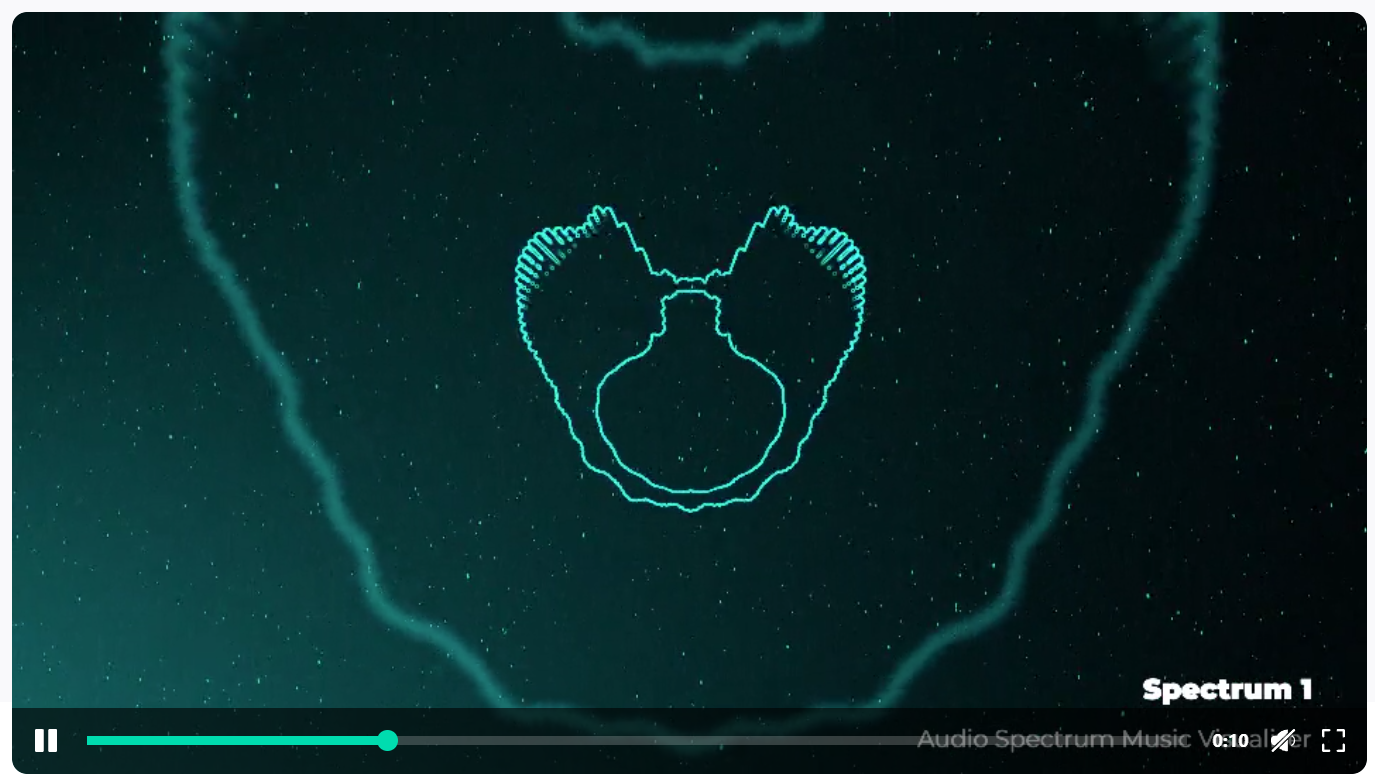
[Video Templates] Clean Instagram Stories Slides Audio Spectrum Music Visualizer All items / Video Templates / Elements [Tutorial] Inside package you will find two folders: 1. Spectrum 2. Tutorial First of all, you need to download and install font: https://www.fontsquirrel.com/fonts/montserrat In Spectrum folder you will find: 1. Spectrum_1080x1920_30FPS.aep (29.97 fps) for Instagram 2. Sepctrum_1920x1080_30FPS.aep (29.97 fps) 3. Spectrum_1920x1080_60FPS.aep Inside .aep file you will find two folder named: Do Not Touch This Folder (do not touch it) .aep 파일 안에는 두 개의 폴더 이름이 있습니다: 이 폴더를 만지지 마세요(손대지 마세요) Spectrums (스펙트럼) Inside Spectrum you will find 9 Spectrum template folders In Spectrum 1_9 folder you will find Spectrum 1_9 Composition and Edit folder In Edit folder you will find: Spectrum 내부에는 9개의 Spectrum 템플릿 폴더가 있습니다. Spectrum 1_9 폴더에는 Spectrum 1_9 Composition and Edit 폴더가 있습니다. 편집 폴더에는 다음이 있습니다. ...

[AE] Change Comp Pixel & Mask Restore (복원하기)

이미지
keycolor [Before] [Phtoto_01] Composition Setting Width 3840 px Height 2160 px [Photo_Morph_V01]  Composition Setting Width 3840 px Height 2160 px Effect : BCC Morph Mask1~13 [After] Mask Problem [Phtoto_01] Change Pixel Composi...

[MAC] 애프터 이펙트 CC 재설치 없이 언어를 영어로 바꾸기

  [MAC] 애프터 이펙트 CC 재설치 없이 언어를 영어로 바꾸기   Language & Region    OS / SW AFTER EFFECTS 2019 and 2020 change the language to English in MAC os! To change the language, create an empty text file named ae_force_english in the Documents folder. Download file - https://drive.google.com/open?id=1gtH… OYM)   Youtube  영상은  LibreOffice  앱이 필요하다. 하지만 위의 링크파일 ae_force_english.txt  다운로드 후 Mac > Documents >  ae_force_english.txt 넣으면 된다.   ae_force_english.txt   텍스트 편집기(TextEdit) 실행 저장(Save)  파일명 (File name) ae_force_english.txt 저장위치 Documents 파일포멧  Text - Choose Encoding(.txt) Unicode (UTF-8) LF   New features in Adobe After Effects: http://www.adobe.com/ru/products/aftereffects/features.html RePack features: 1. Installation in two clicks, you only need to disconnect the Internet connection (automatically or manually) 2. Creative Cloud application does not litter in the system - the minimum necessary for it remains 3...

[Tip] AE Color Settings_HDTV (Rec 709) / LUT (Lookup Table)

이미지
    File > Project Settings   작업영역 체크박스 작업 영역 선형화 1.0 감마를 사용한 색상 홉합 레거시 After Effects QuickTime 감마 조정 일치 장면 참조 프로파일 보정 색상 관리가 설정되어 있습니다. 색상 관리를 해제하려면 [작업 영역]을 [없음]으로 설정하십시요. 색상 관리가 설정되어 있으면 푸티지 또는 랜더링 대기열 항목에 서로 다른 색상 공간을 지정할 수 있습니다. 지정된 색상 공간이 작업 영역과 다르면 색상 값이 한 공간에서 다른공간으로 변환됩니다.   Color Settings >  Depth : 8 bits per channel 16 bits per channel 32 bits per channel (float)   Color Settings >  Working Space None Adobe RGB (1998) Apple RGB ColorMatch RGB ProPhoto RGB sRGB IEC61966-2.1 CLE RGB DCDM X’Y’Z’(Gamma 2.6) 5900K (by Adobe) DCI P3 RGB (Gamma 2.6) 5900K (by Adobe) Display e-sRGB Generic RGB Profile HDTV (Rec. 709) HDTV (Rec. 709) 16-235 PAL/SECAM ROMM-RGB SDTV NTSC SDTV NTSC 16-235 SDTV PAL SDTV PAL 16-235 SMPTE-C Universal Camera File Printing Density Wide Gamut RGB After Effects 색상 관리 비디오 는 색상 관리를 소개하고 작동 방식과 사용 방법에 대해 설명합니다. 색상 관리 및 색상 프로파일 https://helpx.ado...

[Tip] AfterEffects(AE) Scripts ExpressionTimeline(사용법)

이미지
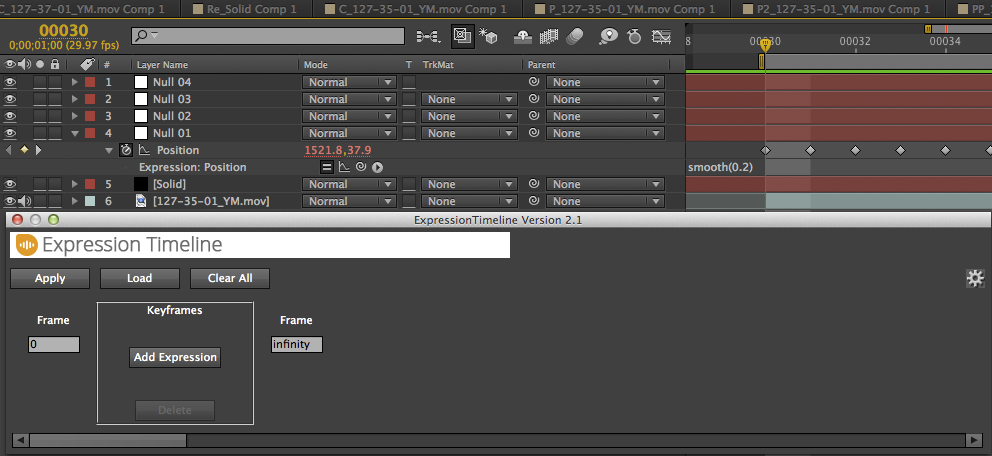
  [R&D][Script]ExpressionTimeline    Position Expression > smooth(0.2) Script UI Expression Timeline > Open Add Expression Load Select Position Expression Frame Frame 0 > 60 > Return infinity > 100 Return Add Fade Apply    

이 블로그의 인기 게시물

[WIN]SMB1 프로토콜이 필요합니다.시스템에 SMB2 이상이 필요합니다.(윈도우10 네트워크 연결오류)

[Tip] 카카오톡(Kakaotalk)대화내용 CSV 파일로 저장하기(구글 스크립트 시트 정리하기)

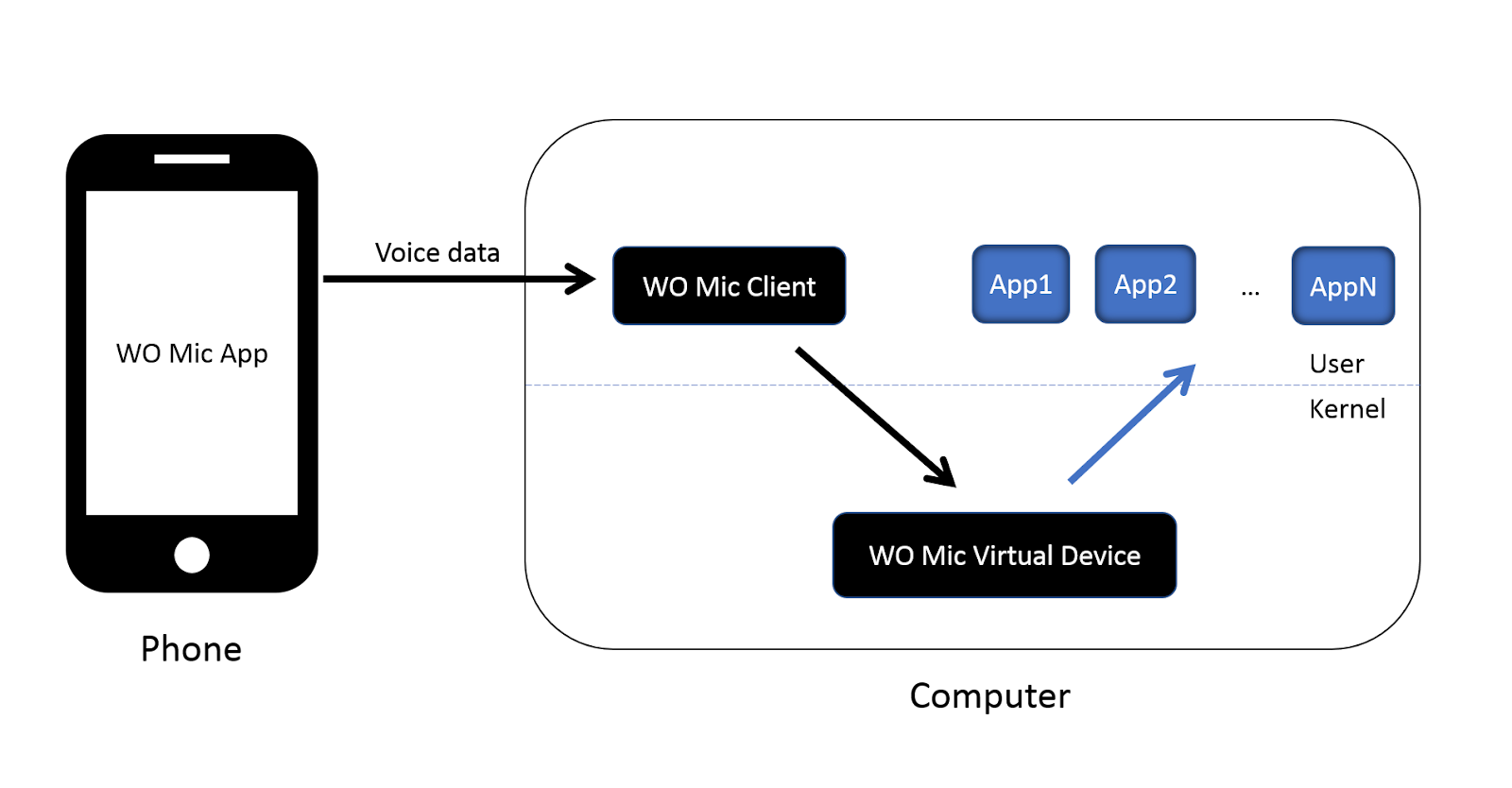
[Tip] Android 스마트폰 PC(Windows)에서 마이크 대용으로 사용하기(WO Mic Free)